
How to create a Zoom meeting link
In this article, you'll learn how to create a Meeting Link on Zoom.
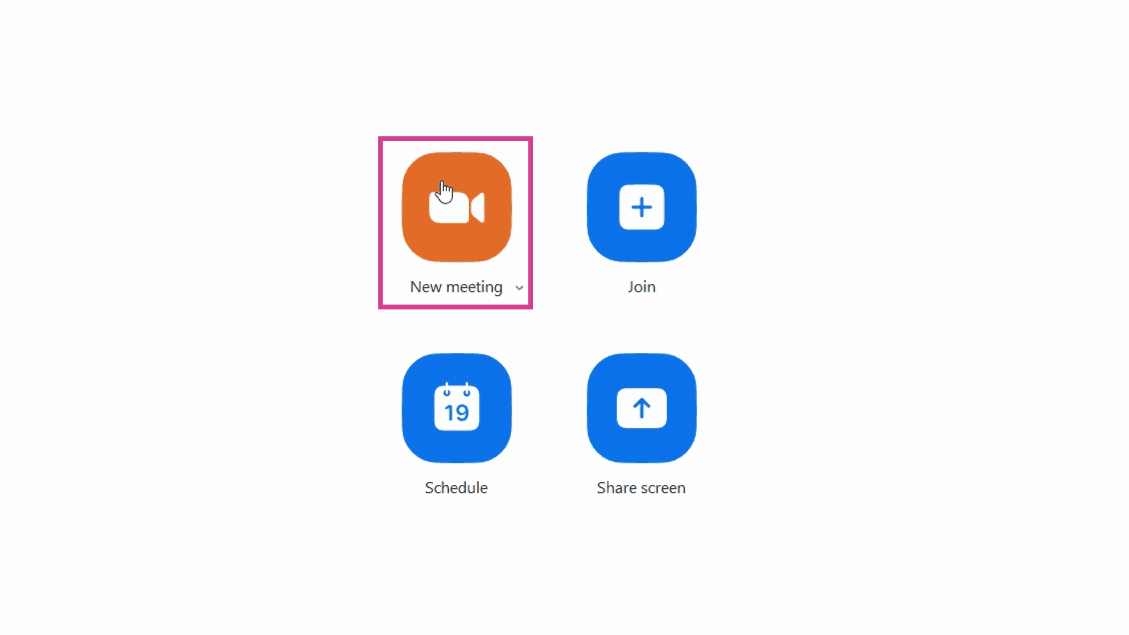
1. Start by clicking on the New Meeting button on your home screen.
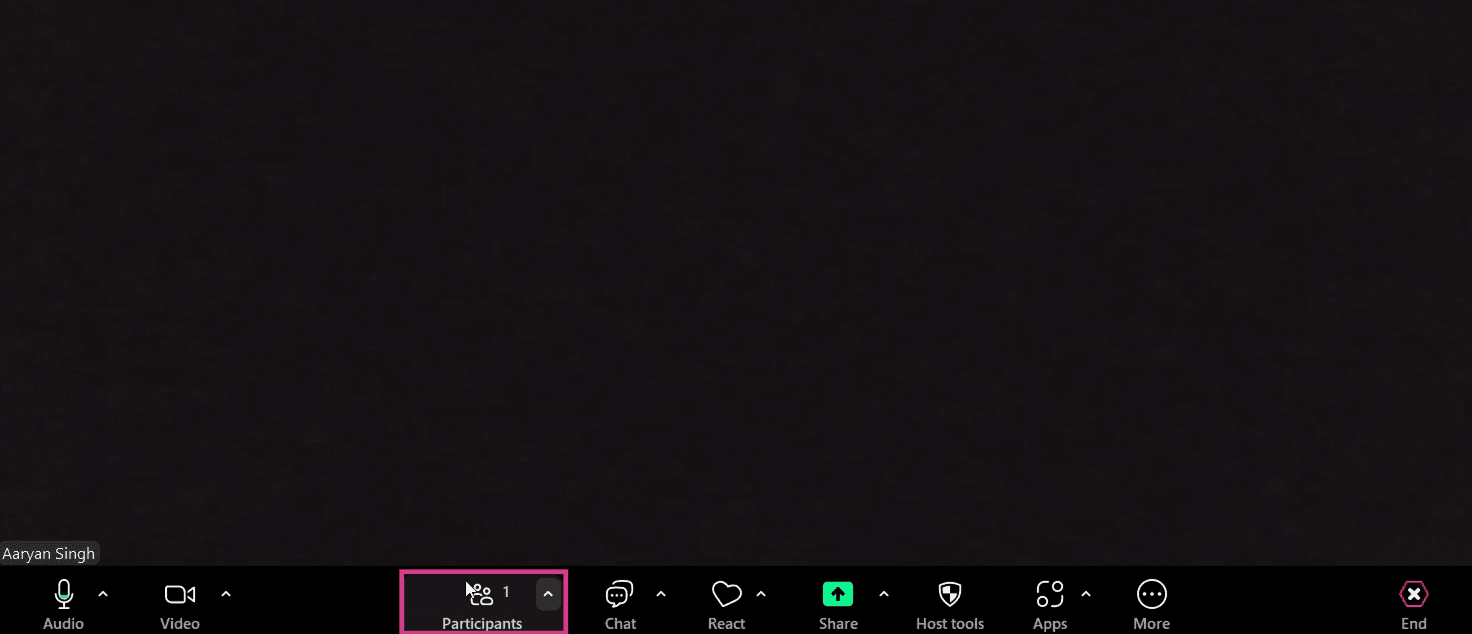
2. This action will direct you to a meeting. Here, click on Participants in the bottom toolbar.
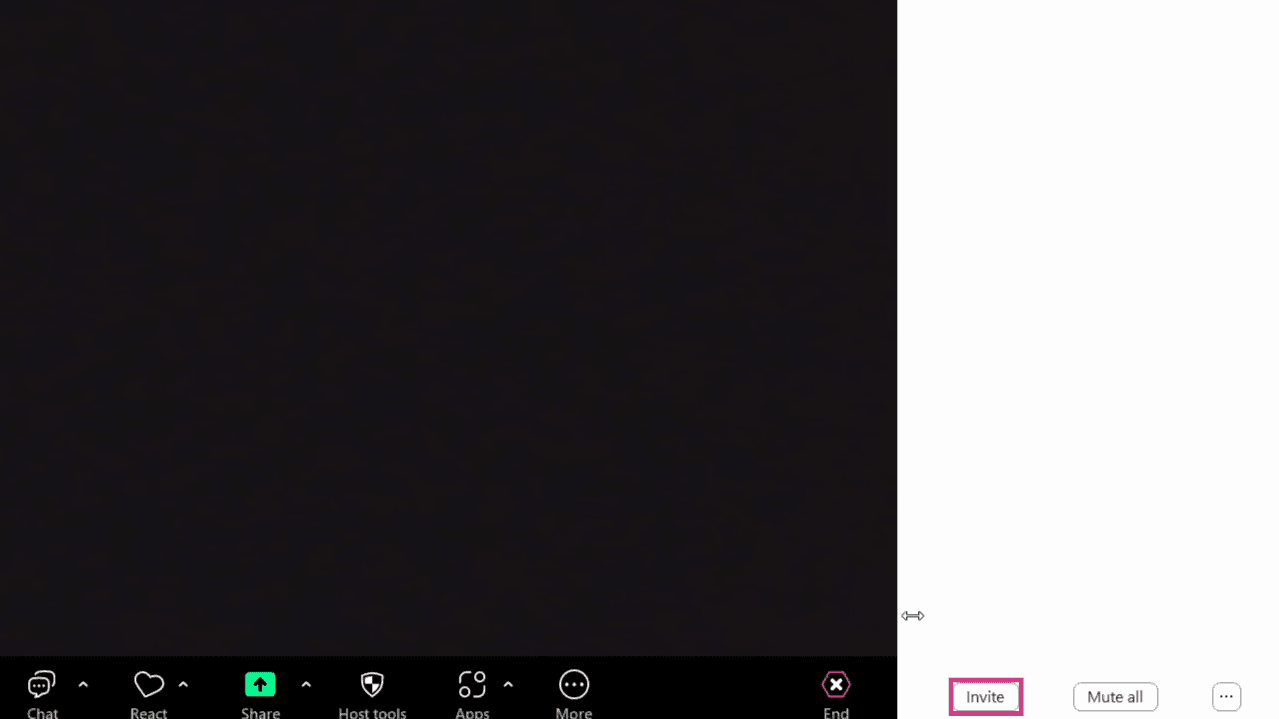
3. Navigate to the Invite button on the right-hand menu.
4. Finally, click on Copy Invite Link.
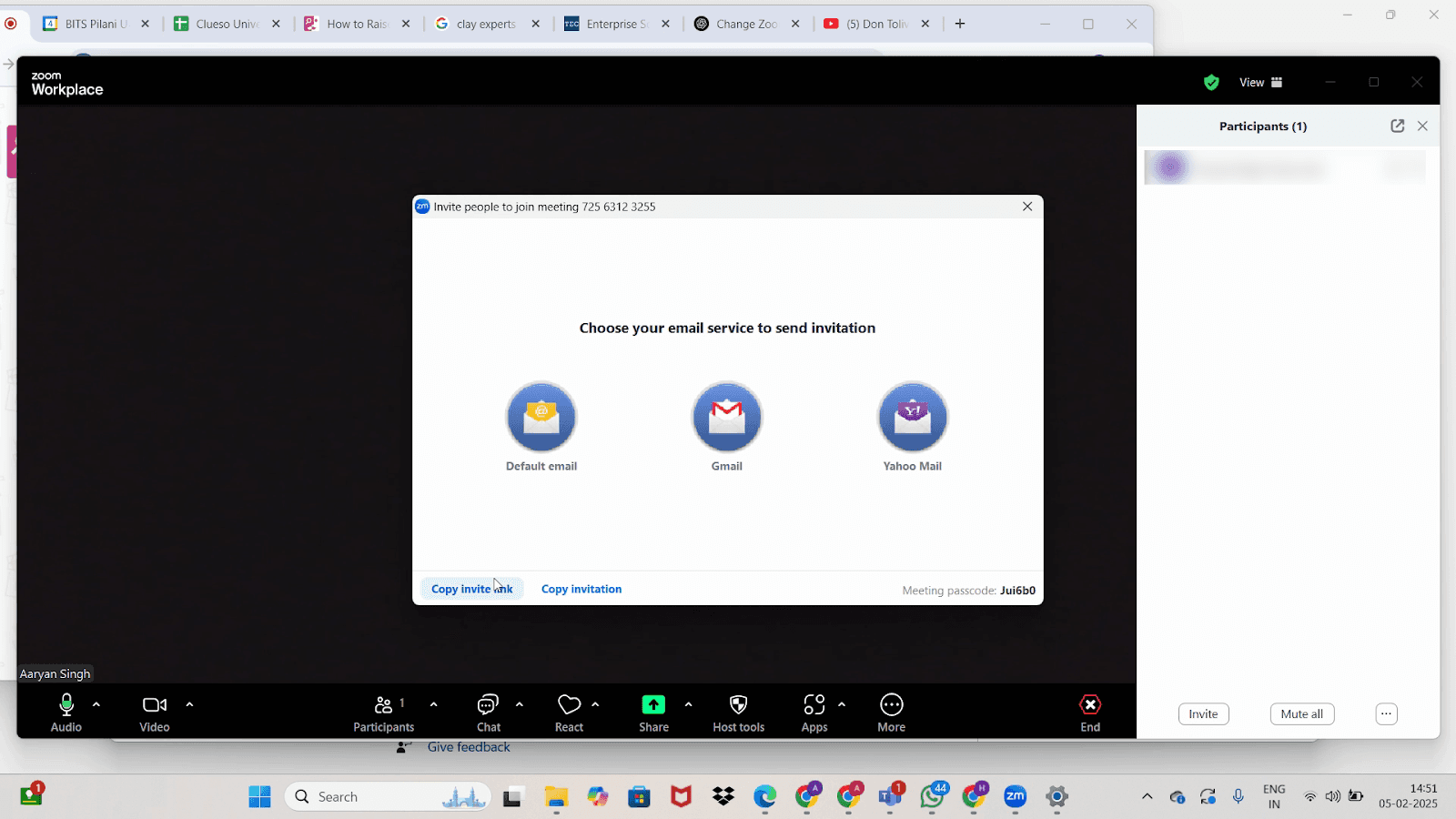
And there you have it! You've successfully created a Meet Invite link on Zoom.
FAQs
1. Where can I find the New Meeting button?
The New Meeting button is located on your Zoom home screen.
2. What does the Participants button do?
The Participants button opens a list of people in the meeting. From here, you can manage participants and send invites.
3. How do I use the Meet Invite link?
You can send the Meet Invite link to others to join the meeting. They just need to click the link to join.