
How to add a header in Google Docs
In this article, you'll learn how to add a header to your Google Doc.
1. Start by navigating to the Insert button in the top toolbar.
2. Hover over the Header Center option from the drop-down menu.
3. Select Header from the pop-up menu.
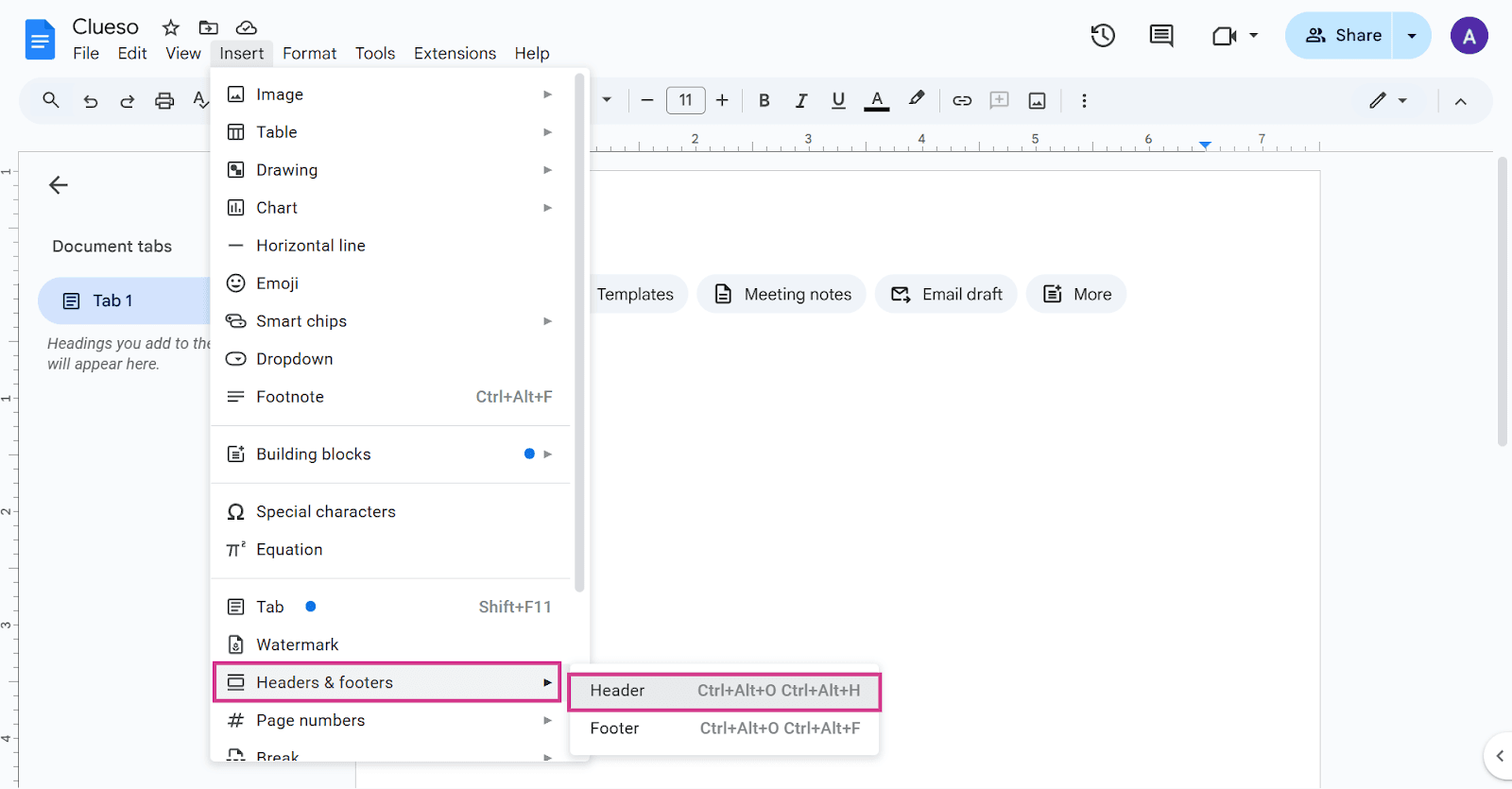
And that's it! You've successfully added a header to your Google Doc.
FAQs
1. Can I add a footer in the same way as a header?
Yes, the process is similar. Instead of selecting Header, you'd select Footer from the drop-down menu.
2. Can I customize the header?
Absolutely! You can change the font, size, color, and more to make the header fit your document's style.
3. What happens if I want to remove the header?
To remove the header, simply click on it and press the delete key on your keyboard.